
Claude Code CLI Install and Download: npm Command and API Setup
Quick install: with Node.js 22 or newer, run npm install -g @anthropic-ai/claude-code. Then point Claude Code at API Token Router with export ANTHROPIC_BASE_URL=https://api.apitokenrouter.com and export ANTHROPIC_AUTH_TOKEN="your API Token Router API key" (on Windows, use setx instead of export), and start it with claude. Create the key in the API Token Router dashboard. The full steps are below.
This guide is for using Claude Code in a terminal. If you are not comfortable with command-line tools, download the Claude desktop app from the Claude website and follow the CC Switch guide.
New accounts start with a $0 balance — top up before your first request. Top up from $5. If a request returns 402 with "wallet balance is insufficient", your balance is empty — your base URL and key are fine. Top up and retry.
1. Install Claude Code from scratch
Claude Code is an AI coding assistant that runs inside your terminal. If Claude Code is already installed, skip to the next section.
Download and install
Install Node.js before installing Claude Code, so the package can download and run correctly.
- Download and install Node.js (version 22 or newer — required by the current Claude Code).
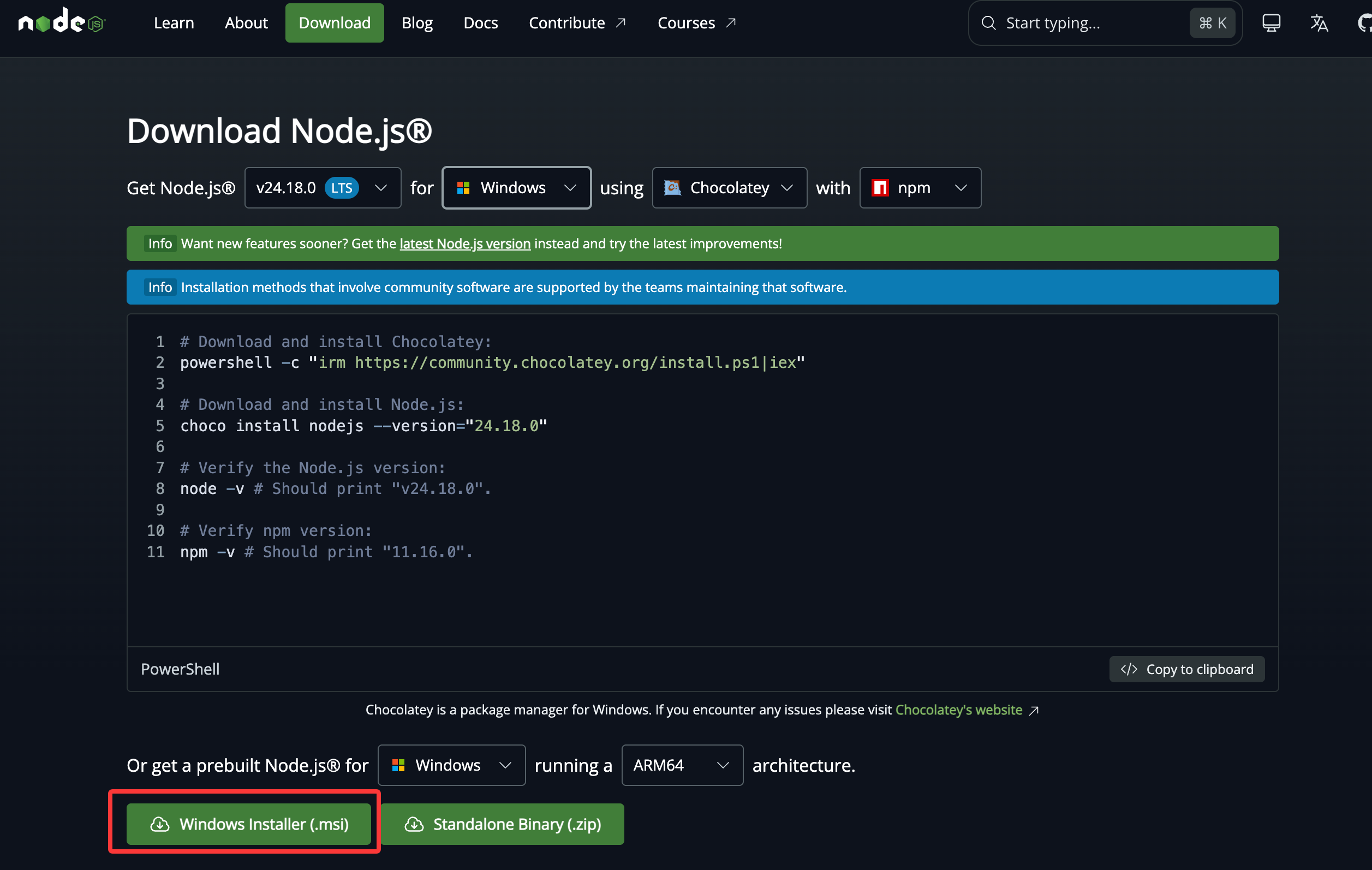
After installation, you do not need to open Node.js separately.
- Windows users should also install Git for Windows.
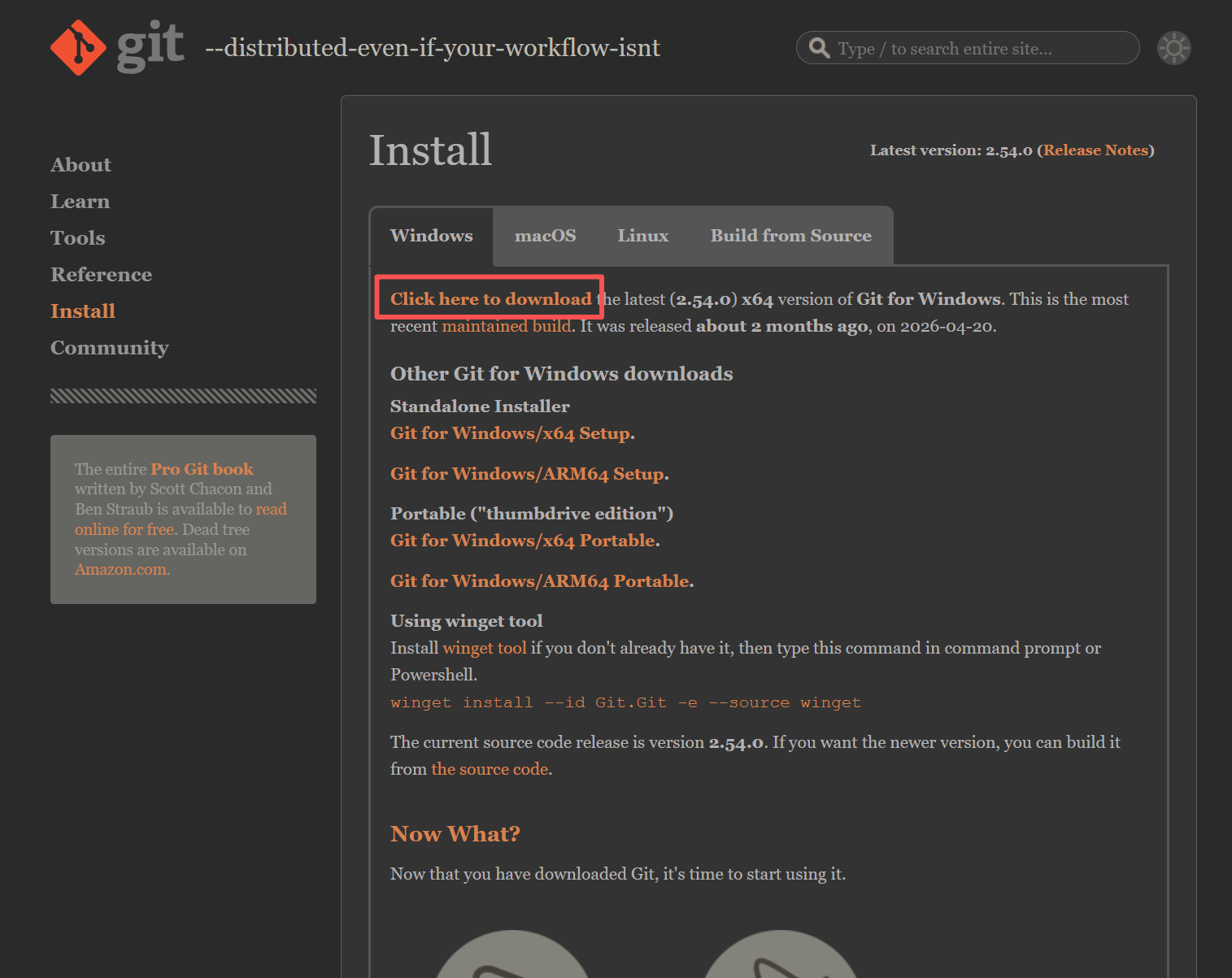
After installation, you do not need to open Git separately.
After the prerequisites are installed, open your terminal.
On macOS, search for Terminal in Applications and open it.
On Windows 11, press Win + S, search for Terminal, and open it.
On Windows 10, press Win + S, search for Terminal, then open Command Prompt.
Copy and run the command below:
npm install -g @anthropic-ai/claude-code
After installation, run:
claude --version
If a version such as x.x.xxx (Claude Code) appears, Claude Code is installed successfully.
Configure environment variables
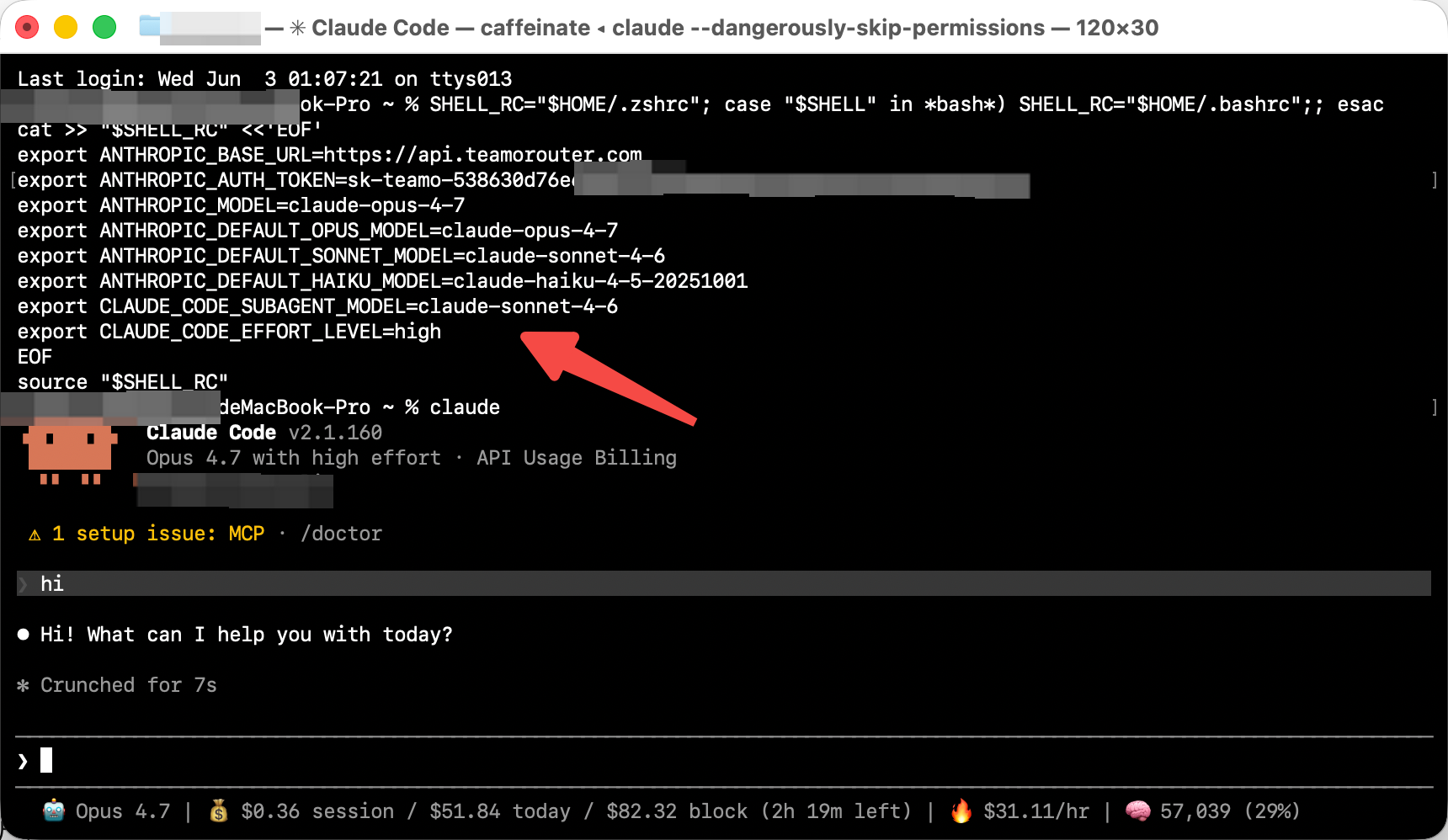
For Linux and macOS, write the following variables into your shell config file. The script detects zsh or bash automatically. Create your API key in the API Token Router dashboard, then replace your API Token Router API Key below with it (keep the quotes).
SHELL_RC="$HOME/.zshrc"; case "$SHELL" in *bash*) SHELL_RC="$HOME/.bashrc";; esac
cat >> "$SHELL_RC" <<'EOF'
export ANTHROPIC_BASE_URL=https://api.apitokenrouter.com
export ANTHROPIC_AUTH_TOKEN="your API Token Router API Key"
export ANTHROPIC_MODEL=claude-opus-5-5
export ANTHROPIC_DEFAULT_FABLE_MODEL=claude-fable-5-1
export ANTHROPIC_DEFAULT_OPUS_MODEL=claude-opus-5-5
export ANTHROPIC_DEFAULT_SONNET_MODEL=claude-sonnet-5-5
export ANTHROPIC_DEFAULT_HAIKU_MODEL=claude-haiku-4-5
export CLAUDE_CODE_SUBAGENT_MODEL=claude-sonnet-5
export CLAUDE_CODE_EFFORT_LEVEL=xhigh
EOF
source "$SHELL_RC"
For Windows, run the following commands in PowerShell. They use setx to write user-level environment variables permanently. Reopen the terminal after running them.
setx ANTHROPIC_BASE_URL "https://api.apitokenrouter.com"
setx ANTHROPIC_AUTH_TOKEN "your API Token Router API Key"
setx ANTHROPIC_MODEL "claude-opus-5-5"
setx ANTHROPIC_DEFAULT_FABLE_MODEL "claude-fable-5-1"
setx ANTHROPIC_DEFAULT_OPUS_MODEL "claude-opus-5-5"
setx ANTHROPIC_DEFAULT_SONNET_MODEL "claude-sonnet-5-5"
setx ANTHROPIC_DEFAULT_HAIKU_MODEL "claude-haiku-4-5"
setx CLAUDE_CODE_SUBAGENT_MODEL "claude-sonnet-5"
setx CLAUDE_CODE_EFFORT_LEVEL "xhigh"
Launch Claude Code
In PowerShell or your terminal, run:
claude
2. Connect to API Token Router
If Claude Code is already installed, update the environment variables below. Create your API key in the API Token Router dashboard, then replace your API Token Router API Key below with it (keep the quotes).
For Linux and macOS:
SHELL_RC="$HOME/.zshrc"; case "$SHELL" in *bash*) SHELL_RC="$HOME/.bashrc";; esac
cat >> "$SHELL_RC" <<'EOF'
export ANTHROPIC_BASE_URL=https://api.apitokenrouter.com
export ANTHROPIC_AUTH_TOKEN="your API Token Router API Key"
export ANTHROPIC_MODEL=claude-opus-5-5
export ANTHROPIC_DEFAULT_FABLE_MODEL=claude-fable-5-1
export ANTHROPIC_DEFAULT_OPUS_MODEL=claude-opus-5-5
export ANTHROPIC_DEFAULT_SONNET_MODEL=claude-sonnet-5-5
export ANTHROPIC_DEFAULT_HAIKU_MODEL=claude-haiku-4-5
export CLAUDE_CODE_SUBAGENT_MODEL=claude-sonnet-5
export CLAUDE_CODE_EFFORT_LEVEL=xhigh
EOF
source "$SHELL_RC"
For Windows PowerShell:
setx ANTHROPIC_BASE_URL "https://api.apitokenrouter.com"
setx ANTHROPIC_AUTH_TOKEN "your API Token Router API Key"
setx ANTHROPIC_MODEL "claude-opus-5-5"
setx ANTHROPIC_DEFAULT_FABLE_MODEL "claude-fable-5-1"
setx ANTHROPIC_DEFAULT_OPUS_MODEL "claude-opus-5-5"
setx ANTHROPIC_DEFAULT_SONNET_MODEL "claude-sonnet-5-5"
setx ANTHROPIC_DEFAULT_HAIKU_MODEL "claude-haiku-4-5"
setx CLAUDE_CODE_SUBAGENT_MODEL "claude-sonnet-5"
setx CLAUDE_CODE_EFFORT_LEVEL "xhigh"
After configuration, reopen your terminal and run:
claude
Auto mode keeps asking for confirmation or denying actions
Since Claude Code 2.1.319, auto mode behind an LLM gateway (API Token Router included) asks about or denies calls the server can't check, with no fallback to the built-in classifier (see the official changelog). To get the previous behavior back, set CLAUDE_CODE_AUTO_MODE_SERVER to 0.
macOS / Linux (bash users: use ~/.bashrc instead of ~/.zshrc):
echo 'export CLAUDE_CODE_AUTO_MODE_SERVER=0' >> ~/.zshrc
Windows (PowerShell):
setx CLAUDE_CODE_AUTO_MODE_SERVER "0"
Or add it to env in ~/.claude/settings.json:
{
  "env": {
    "CLAUDE_CODE_AUTO_MODE_SERVER": "0"
  }
}
Open a new terminal and run claude again. With 0, Claude Code's built-in classifier makes the call, and its own requests count toward usage.
Pay with USDT or USDC
You don't need a credit card to use Claude Code with API Token Router. Top up your balance with USDT, USDC or ETH straight from an exchange app (Binance, OKX and others) or any wallet: click Pay with crypto in the top-up dialog, pick a coin and network, and send. The minimum is $5 (USDT on BEP20), and no browser extension is needed. Step by step: Pay for Claude and GPT APIs with crypto (USDT).